
For the application: ‘Smart TV IPTVPanel’, ‘NETTV IPTVPanel’, or ‘SETTV IPTVPanel’
To check if your Samsung or LG Smart TV is compatible with the IPTVPanel service, open the Samsung or LG Smart TV App Store and search for the ‘Smart TV IPTVPanel’, ‘NETIPTV’, or ‘SETIPTV’ application. If the app doesn’t appear on the main screen, try searching under ‘All Apps’ or ‘Updates’ to find IPTVPanel-compatible apps.
This application offers a free seven-day trial period. After the trial, you will be prompted to make a one-time donation to support the continued development of the Smart TV IPTVPanel, NETTV IPTVPanel, or SETTV IPTVPanel application.
To get started:
Launch the application: Open ‘Smart TV IPTVPanel’, ‘NETTV IPTVPanel’, or ‘SETTV IPTVPanel’ on your Smart TV.
Retrieve your MAC address: You’ll see your unique MAC address (e.g., 00:00:00:00:00) on the home screen or in the app settings.
Subscribe: When purchasing your IPTV subscription, provide the application name and your MAC address for activation.
Activate your IPTV service: After payment is confirmed, you will receive an email with your IPTV subscription details and instructions to restart your Smart TV.

**- Android Box
Android Smartphones & Tablets
Android TVs & TV Boxes
iPhone, iPad & Apple TV**
Instructions:
Go to the Play Store (Android) or App Store (iOS, iPhone, iPad, Apple TV), or the Store on your Samsung or LG Smart TV.
Search for IPTV Smarters Pro (or “Player” for Smart TVs), and you’ll land on the installation screen for the IPTV Smarters Pro app. Click Install.
After your payment has been validated, you will receive your account details (username, password, URL, and M3U link).
Once installed, open the IPTV Smarters app by clicking Open.
Wait for the IPTV Smarters app to launch.
Click on + or Add User to configure IPTV Smarters Pro or Player.
Choose between Playlist (M3U Link) or Xtream Codes API.
If you selected Playlist (M3U Link), enter your IPTV subscription’s M3U link (you will receive this in your email once your order is completed).
If you chose Xtream Codes API, enter the login credentials for your IPTV Smarters Pro subscription: Name, Username, Password, and Server URL.
Windows • Mac • Linux
Instructions:
Install VLC or Kodi on your computer. These applications are compatible with IPTVPANEL and support M3U playlists for smooth streaming.
Confirm your order: After your IPTV subscription purchase is completed, you will receive an email containing the URL of your IPTVPANEL playlist.
Download your playlist: Click on the URL in your email to download your personalized M3U file.
Open your M3U file: Launch VLC or Kodi and open the downloaded M3U playlist file to start streaming IPTV channels.
Enjoy your IPTVPANEL subscription: Access high-quality IPTV streams on Windows, Mac, or Linux devices with VLC or Kodi.
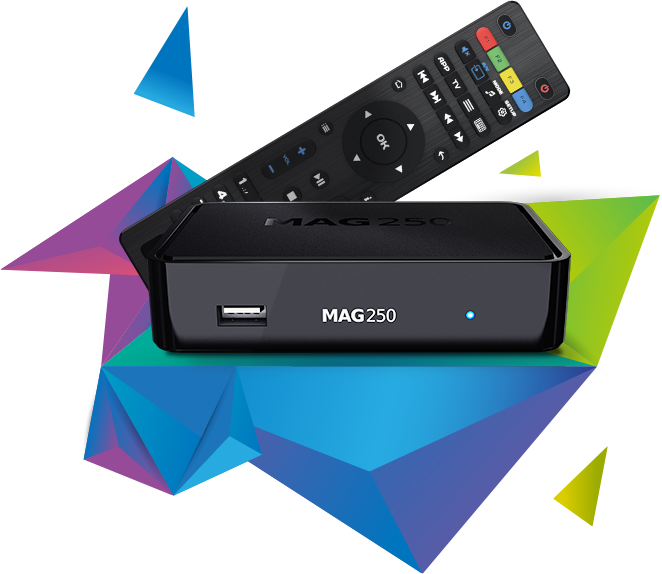
How to configure the FrTele MAG device:
Retrieve the MAC address of your MAG device (you can find it on the back of the box).
When paying for your subscription, you will be asked to provide the MAC address of your MAG device.
Connect the MAG DEVICE to your TV and the Internet, then follow these steps:
Go to: Settings → System Settings → Servers → Portals
Enter the name of your Portal: Portal 1 Name (FrTele)
Enter the Portal URL: Portal 1 URL (this will be sent to you after completing your order).
Leave Portal 2 Name and Portal 2 URL empty.
Save the settings.
Restart the device.
After the box restarts, wait for the TV screen to display the channels.
The difference between the three subscriptions is the number of recent French movies and TV series, as well as the image quality and server performance:
Premium is the best option, offering the highest quality and the most recent content.
Diamond comes second, offering great quality and performance.
Gold is the entry-level subscription, providing good content and quality but with a slightly lower performance.


